Why Motorized Faders Changed How We Mix in DAWs
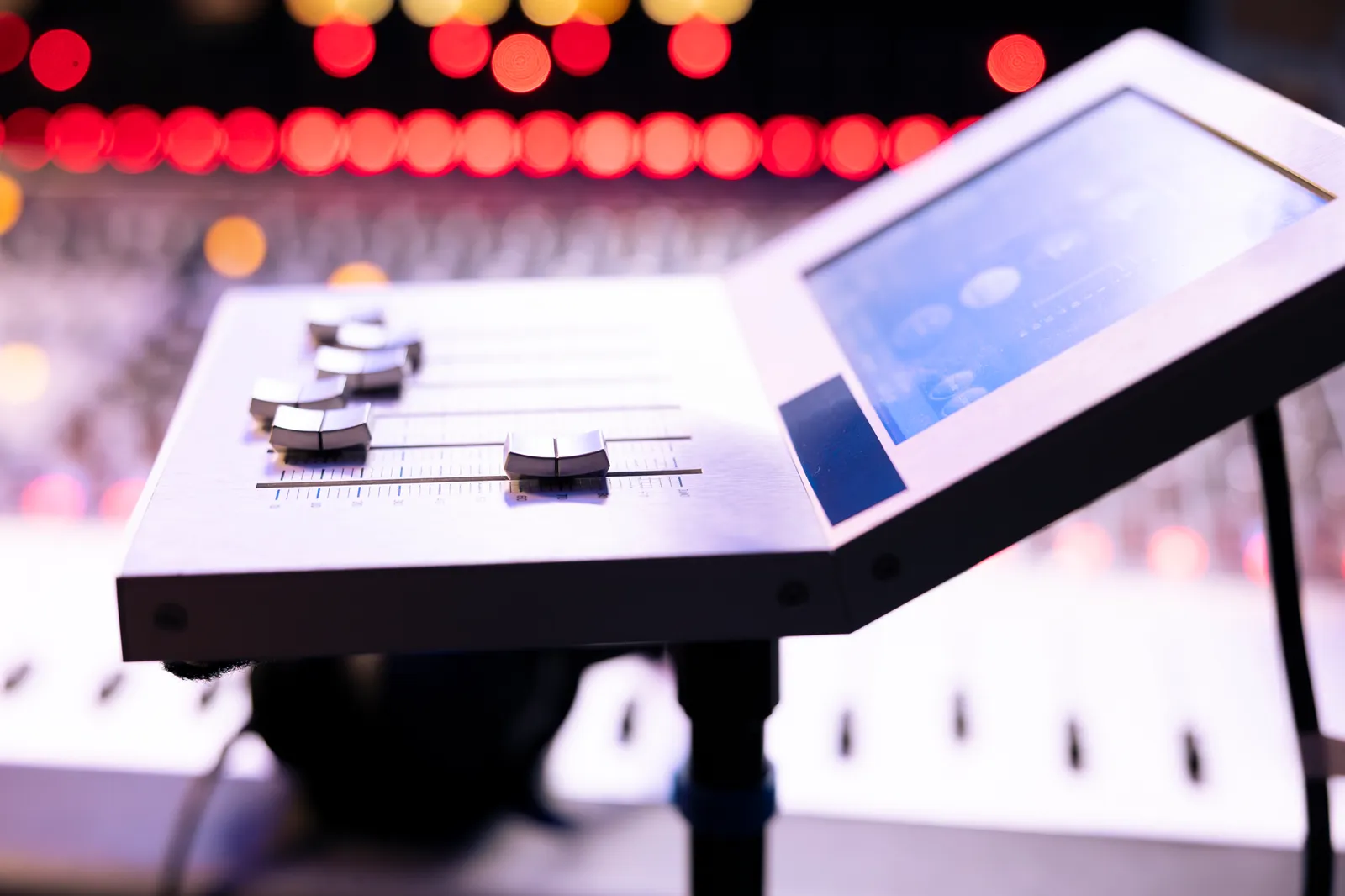
You load yesterday's session, hit play, and watch eight faders glide into position on their own — each one landing exactly where you left your automation pass at 2 AM. That moment, the first time a motorized fader DAW controller recalls your mix state without you touching anything, is when the workflow clicks. It's also the moment you realize what mouse mixing has been costing you.
This guide covers how motorized faders actually work, which DAW controllers with motorized faders are worth buying in 2026, how to pick the right DAW controller with motorized faders for your studio, where they fall short, and whether a touchscreen alternative might suit you better.
TL;DR
- Motorized faders use small servo motors to physically recall automation positions, giving you tactile, eyes-free mixing.
- The best motorized fader controllers in 2026 range from the $449 Behringer X-Touch to the $1,199 SSL UF8.
- Downsides include mechanical wear, per-channel cost, noise, and bank switching on large sessions.
- Touch-based surfaces like TouchDaw ($50-$190) offer unlimited virtual faders with zero moving parts — a fundamentally different approach to the same problem.
How Motorized Faders Work
A motorized fader is a standard linear potentiometer — usually a 100mm Alps fader — driven by a small DC servo motor and a gear mechanism built into the fader housing. When your DAW sends a position update (through MCU, HUI, or a proprietary protocol over USB), the motor spins the drive belt or worm gear until the fader knob reaches the target position.
Touch Sensitivity
Most modern motorized faders include a capacitive touch strip on the fader cap. When your finger makes contact, the controller tells the DAW "a human is touching this fader" and temporarily disables the motor so it doesn't fight your hand. The moment you release, the motor resumes responding to DAW automation data.
This touch-sense layer is what makes automation riding feel natural. You grab a fader, write your move, let go, and the fader stays where the automation tells it to be — no latching buttons or punch-in commands needed.
The MCU Protocol
Nearly every motorized fader control surface communicates with DAWs via Mackie Control Universal (MCU) or HUI protocol. Designed in the late 1990s, these protocols map physical fader positions to DAW mixer channels over MIDI. They're limited to 8 channels per unit, but they're still the universal standard because every major DAW supports them natively.
MCU handles fader position, scribble-strip text, V-Pot encoder rings, transport buttons, and channel select. The protocol's simplicity is both its strength and its ceiling — reliable fader control, but no visual feedback beyond a tiny LCD. For a deeper look at how control surfaces communicate with your DAW, see our DAW control surfaces guide.
Why Motorized Faders Matter for Mixing
Automation Riding
This is the primary reason motorized faders exist. When you're riding vocal levels through a dense chorus, you need continuous, precise control — not point-and-click mouse edits. A physical fader lets you react in real time and write smooth automation curves that would take ten times longer to draw by hand. The motor handles recall: switch between verse and chorus, and the fader snaps to the stored position automatically.
Mix Recall
A motorized fader controller gives you physical confirmation of your DAW's state. Load any session and the faders move to their stored positions — no mental translation of on-screen values to physical positions. During revisions, you open a session from three weeks ago and you're back to work in seconds.
Muscle Memory and Spatial Awareness
Physical faders create spatial relationships. The kick is on fader 1, snare on 2, hi-hat on 3. After a few passes, your hands know the layout without looking. That spatial mapping is something traditional MIDI fader controllers without motors can't fully deliver, because non-motorized faders lose sync with your DAW the moment you switch banks.
Best Motorized Fader DAW Controllers in 2026
Here's how the leading hardware compares across the specs that matter for daily mixing work.
| Controller | Faders | Touch-Sensitive | DAW Protocol | Street Price | Key Feature |
|---|---|---|---|---|---|
| SSL UF8 | 8 (Alps) | Yes | MCU / HUI / SSL Protocol | $1,199 | DAW-specific profiles, premium build |
| PreSonus FaderPort 16 | 16 | Yes | MCU / HUI / Native | $999 | 16 channels in one chassis |
| PreSonus FaderPort 8 | 8 | Yes | MCU / HUI / Native | $499 | Compact, Studio One integration |
| Icon Platform M+ | 8 | Yes | MCU | $499 | Expandable with extenders |
| Behringer X-Touch | 8 | Yes | MCU / HUI | $449 | Lowest price for motorized faders |
SSL UF8
The benchmark. Eight Alps faders with SSL's own DAW integration layer that goes beyond generic MCU — dedicated profiles for Logic, Pro Tools, Cubase, Ableton, Studio One, and Reaper. At $1,199, most mixers who commit end up buying two for 16 channels ($2,398 total).
PreSonus FaderPort 16
Sixteen motorized faders in a single chassis under $1,000. If you mix 16+ tracks regularly and don't want to bank-switch, this is the most practical option. PreSonus's native Studio One integration is best-in-class, and MCU mode covers everything else. Build quality is solid but not SSL-tier.
PreSonus FaderPort 8
The FaderPort 16's smaller sibling — eight motorized faders at $499 with the same Studio One integration. A strong entry point for smaller sessions or stem mixing.
Icon Platform M+
Eight motorized faders for $499 with a real expansion path: daisy-chain extender units as your needs grow. Build quality sits below SSL and PreSonus, but the price makes it the most accessible motorized surface worth buying.
Behringer X-Touch
At $449, this is the most affordable way to get eight touch-sensitive motorized faders. MCU and HUI support, full transport controls, and years of reliability in home studios. If you're looking for a cheap motorized fader controller that doesn't cut critical corners, this is the default recommendation.
The Downsides of Motorized Faders
Mechanical Wear
Every motorized fader has a finite lifespan. The motor, belt, and potentiometer track all degrade with use. As Sound On Sound's coverage of mixing automation documents, moving parts wear out. Heavy daily use can mean fader replacement within 3-5 years. Replacement Alps faders run $15-$40 each and require soldering.
Bank Switching
An 8-fader controller gives you 8 channels. A typical session has 24-48 tracks. To reach channel 17, you press a bank button and the faders jump to the next group. This "where am I?" context switch is the biggest workflow friction with motorized surfaces, and it scales with session size. Even the FaderPort 16 can't keep up with sessions that hit 32+ tracks.
Motor Noise
Servo motors produce audible whirring during rapid recalls — loading sessions, switching banks, or running automation playback. In a treated room at mix volume, it's background noise. In a quiet bedroom studio, it's noticeable.
Per-Channel Cost
Each motorized fader adds roughly $50-$150 to the unit price. This is why no motorized fader controller under $400 offers more than eight channels — 16 motors, 16 touch-sense circuits, and 16 potentiometers add up fast.
The Touchscreen Alternative: Unlimited Virtual Faders, Zero Wear
The wear, the bank switching, the noise, the per-channel cost — all stem from one architectural decision: physical motors driving physical faders. Remove the moving parts, and those problems disappear.
A touch display renders every channel simultaneously. Your faders are pixels. They don't wear out, they don't make noise, and adding 16 more channels costs nothing.
Where TouchDaw Fits
TouchDaw ($50-$190) is a 38" x 10" ultra-wide touchscreen display that lays flat on your desk in the exact position where a traditional console's channel strips would sit. It connects over USB-C to Mac or Windows with no drivers or software install required.
What it does differently from a motorized fader setup:
- No moving parts. Nothing to replace, nothing to service, no motor noise.
- All channels visible at once. A 32-track session shows 32 faders on screen — no bank switching, no wondering which channel bank you're on.
- Horizontal console layout. Your hands move left-to-right across channel strips, the same ergonomic pattern as working on an analog mixing console.
- $50-$190. A single TouchDaw costs less than one replacement Alps fader motor assembly from most control surface manufacturers.
The Honest Trade-Off
A touchscreen fader doesn't have physical resistance. You won't feel the detent of a center position or the tactile friction of a quality Alps pot under your fingertip. For engineers with decades of muscle memory on physical faders, that's a real adjustment.
What you gain: a surface that shows everything at once, costs a fraction of any motorized controller, and won't need servicing after 10,000 hours. The Slate RAVEN proved that professional mixers can work on touch surfaces. TouchDaw extends that concept with a horizontal form factor, cross-platform support, and a price that doesn't require a business loan.
How to Decide: Motorized vs Touch
The right choice depends on how you actually work, not on which technology sounds cooler. Here's a decision framework.
| If you... | Consider |
|---|---|
| Ride automation on 2-4 stems daily | Motorized (8 faders is enough) |
| Mix 32+ track sessions regularly | Touchscreen (no bank switching) |
| Need physical resistance for fine moves | Motorized |
| Work across multiple DAWs | Either (both support MCU) |
| Budget under $500 | TouchDaw or Behringer X-Touch |
| Want zero maintenance long-term | Touchscreen |
| Already own a tablet and want to test | Start with a tablet, upgrade to dedicated hardware later |
| Value seeing all channels simultaneously | Touchscreen |
If you're riding automation on a handful of channels, an 8-fader motorized controller is hard to beat. If you're mixing full sessions with 24+ tracks and tired of bank-switching, a touchscreen solves that pain at lower cost. Some engineers use both — a compact motorized unit for the channels they ride most, and a touchscreen for overview and arrangement control.
Pro Tip: When riding vocal automation with any controller — motorized or touch — solo the vocal against the full mix bus, not in isolation. Write your automation moves while hearing the vocal in context. The level relationships between the vocal and the instrumental are what you're actually controlling, and isolated solo passes almost always produce automation that needs re-doing once you hear it in the full mix.
Frequently Asked Questions
Are motorized fader controllers worth the extra cost over non-motorized?
Yes, if you work with automation regularly. Motor recall means your fader positions always match your DAW's state, eliminating the "soft pickup" problem where non-motorized faders are physically in one position while your DAW reads another. For static mixing without automation, a non-motorized controller works fine.
What's the cheapest motorized fader controller worth buying?
The Behringer X-Touch at $449 is the floor for a reliable eight-fader motorized unit. Below that price point, build quality and motor longevity become concerns. If your budget is under $400, a touchscreen surface like TouchDaw ($50-$190) gives you more channels for less money, just without the physical fader feel.
Do motorized faders work with Ableton Live?
Yes. All controllers listed here support MCU protocol, which Ableton Live recognizes natively. The SSL UF8 also offers an Ableton-specific profile for tighter integration. Configuration typically involves selecting "Mackie Control" as your control surface in Ableton's preferences.
Can I use a motorized fader controller with multiple DAWs?
Yes. MCU and HUI are universal protocols supported by Logic, Pro Tools, Cubase, Ableton Live, Studio One, Reaper, FL Studio, and others. You may need to switch profiles when you change DAWs, but the hardware works with all of them.
How long do motorized faders last before they need replacement?
In a professional studio running 8+ hours daily, expect 3-5 years before faders show wear (scratchiness, position drift, sluggish motors). Home studio use at 2-3 hours per day can extend that to 7-10 years. Replacement faders cost $15-$40 each and require soldering.
Is a touchscreen controller a real replacement for motorized faders?
For most workflows, yes. Touchscreen surfaces handle volume, panning, sends, and plugin control with identical positional data going to your DAW. You lose physical resistance and tactile confirmation. You gain unlimited channel visibility, zero maintenance, and significantly lower cost. Many engineers who've switched find that seeing all channels at once compensates for the lack of physical detent.
The Bottom Line
The motorized fader DAW controller earned its place in mixing history for good reason — physical recall, tactile automation riding, and spatial memory that flat screens can't fully replicate. If your mixing workflow revolves around riding a handful of channels with precision, a motorized surface is still the right tool.
But the category's fundamental constraints — mechanical wear, bank switching, per-channel cost — aren't going away. They're inherent to the design. Touchscreen surfaces solve those problems by trading physical resistance for unlimited visual real estate and zero maintenance.
The best choice is the one that matches how you actually mix, not the one that looks most impressive on a studio tour. Whichever direction you go, the real upgrade is getting your hands off the mouse and onto a dedicated surface.