Digital Audio Mixing Console: The 2026 Buyer's Guide
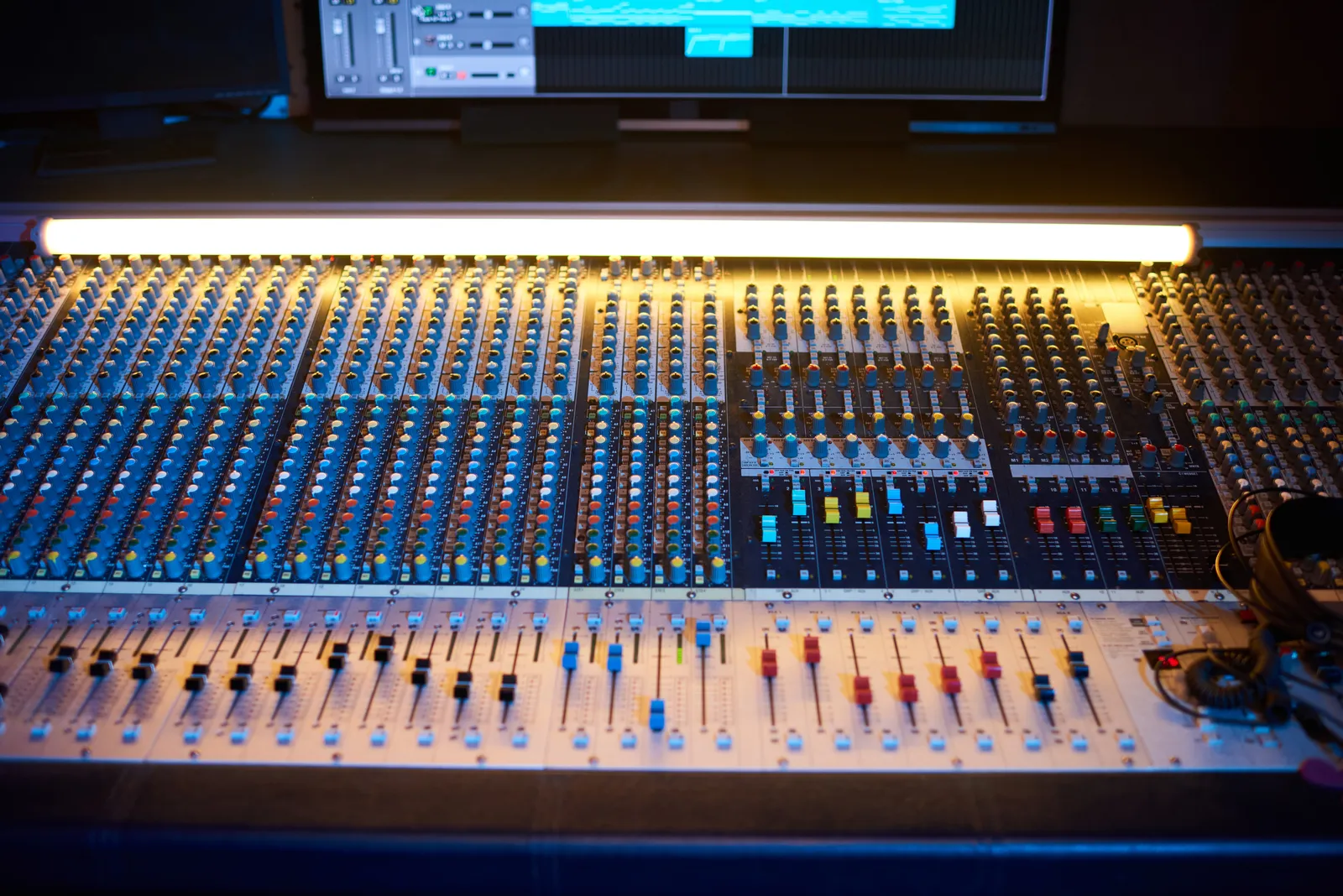
The market for a digital audio mixing console has never been more fragmented -- or more capable. Entry-level digital boards now include built-in effects, scene recall, and remote app control at prices that would have seemed impossible a decade ago. Meanwhile, professional-tier systems offer redundant DSP engines, touring-grade hardware, and network audio protocols that live sound engineers rely on nightly.
The challenge is that "digital mixing console" covers an enormous range of products, use cases, and price points. This guide maps the territory and helps you identify exactly what you need.
TL;DR
- Digital mixing consoles recall settings instantly, include built-in effects, and expand via digital stageboxes -- advantages analog boards can't match at similar prices
- Live sound and studio use cases require fundamentally different board types
- A 32 channel digital mixing console with stagebox support suits most mid-size live venues; project studios often need far fewer channels
- For in-the-box producers who don't need physical I/O, a DAW controller often does more work per dollar than a standalone digital board
- Check current pricing at Sweetwater before buying -- this market moves fast
What Is a Digital Audio Mixing Console?
A digital audio mixing console converts analog signals at its inputs -- microphones, instruments, line sources -- into digital audio data. All processing happens inside a DSP (digital signal processing) engine: equalization, compression, gating, reverb, routing to buses and monitors. The final mix is then converted back to analog at the outputs.
The functional difference from an analog console isn't just about the sound path. Digital boards change how you work:
- Scene recall: save and load complete console states in seconds. Switch between a soundcheck preset and a live show preset, or recall yesterday's tracking session exactly as you left it.
- Built-in processing: every digital mixing board includes at least basic dynamics and effects on every channel. You're not paying separately for outboard gear.
- Expandable I/O: most digital consoles connect to stageboxes or stage racks via a single Cat5 or fiber cable, handling 32+ inputs over a distance that would require a massive analog snake.
- Remote control: mix from the stage, the back of the room, or the control room via tablet app -- common on every current platform.
The tradeoff is a learning curve. Analog consoles are spatially intuitive: every knob does one thing. Digital boards require menu navigation for some parameters. That's a fair exchange for most working engineers, but it's worth knowing going in.
Analog vs Digital: Where Each One Wins
| Feature | Analog Console | Digital Audio Mixing Console |
|---|---|---|
| Scene recall | Manual only | Instant |
| Built-in effects | Rarely included | Standard |
| Channel processing | Hardware EQ/dynamics per strip | Software EQ/dynamics per channel |
| I/O flexibility | Fixed to panel | Expandable via stagebox |
| Learning curve | Intuitive layout | Menu diving for deep parameters |
| Maintenance | Pots, faders wear over time | Firmware updates, DSP reliability |
| Sound character | Transformer/circuit coloring possible | Transparent |
Neither type is universally better. Some engineers specifically want the transformer saturation and circuit artifacts of a large-format analog desk. For everyone else working within a budget, a digital console covers more ground.
Types of Digital Mixing Consoles
Live Sound Digital Consoles
These boards are designed for front-of-house (FOH) and monitor mixing at venues, concerts, and events. Priorities: fast recall between acts, rugged physical construction, robust I/O via stagebox, and network remote control.
A 32 channel digital mixing console in this category typically connects a stagebox near the stage -- handling mic preamps and analog I/O at the source -- with the mixing surface at the engineer's position. The two units communicate over a single cable with multi-channel digital audio and control data riding on the same run.
Live sound consoles range from compact format (16-channel, self-contained) up to large-format touring desks running 128 channels of simultaneous I/O with multiple redundant DSP engines.
Studio Recording Consoles
Large-format recording consoles (SSL, Neve, API, Studer) are almost exclusively analog at the high end. Their digital counterparts are rare because most recording studios migrated to in-the-box workflows: the DAW running on a Mac or PC handles all the routing, processing, and mixing that a recording console used to provide.
For context on how that shift happened and what it means for your studio setup, see our article on recording studio mixing consoles.
Hybrid Interface/Mixer Units
Several manufacturers produce consoles that function both as digital mixing boards and audio interfaces for recording. Connect them over USB or Thunderbolt and they stream audio to your DAW while providing hands-on fader control. These suit small live venues that double as recording spaces, rehearsal rooms, and home studios where live recording of full bands happens occasionally.
The PreSonus StudioLive series is a well-established example: it integrates with Studio One for deep DAW control while working as a standalone console for live use.
Compact Digital Mixers
Small-format digital mixers -- typically 8 to 16 channels -- handle podcasting, small venue FOH, video production audio, and home studio monitoring routing. They prioritize portability and simple setup over expandability. If you're running a solo act with six inputs, a compact digital mixing board does the job at a fraction of a full live console's cost.
Key Features to Look For
Channel Count and Expansion
Establish your actual maximum simultaneous input count before selecting a board. Most engineers overestimate: if your largest session is a four-piece band with drum overheads, you're rarely exceeding 16 channels. A 32 channel digital mixing console gives room to grow, but you'll pay for processing headroom you may never need.
For live sound, also consider stagebox I/O -- the box near the stage, not the fader count on the surface. A console with 32 surface channels may support 48 or more inputs via its stagebox.
Built-In DSP Quality
Not all onboard processing is equal. Look for:
- Parametric EQ on every input channel, not just on group buses
- Per-channel dynamics -- gate and compressor on every strip, not shared between groups of channels
- Effect library quality -- reverb algorithms matter. Budget boards include reverb that works; mid-range and up includes reverb that's worth using as your primary FOH reverb
- Latency figures -- total system latency through the console matters for IEM (in-ear monitor) mixes. Check the manufacturer spec; Sound On Sound covers this in their in-depth console reviews
Network Audio Protocol Support
If your setup requires sending audio across a venue or integrating with broadcast or recording systems, check which network audio protocols the console supports:
| Protocol | Common Use Case |
|---|---|
| Dante | IT-friendly audio networking, broadcast, multi-room |
| AVB/MILAN | Live venue installations, touring |
| AES50/ADAT | Behringer/Midas ecosystem, stagebox connections |
| USB | Studio recording interfaces, direct DAW connection |
Budget consoles typically support proprietary stagebox connections over Cat5 plus USB for recording. Professional digital mixing console systems add Dante or AVB for facility-wide audio distribution.
Preamp Quality
The analog front end is where budget compromises are most audible. Preamp quality on a $600 digital console is a different proposition from a $6,000 one. This is the one area where upgrading to a higher-tier studio digital mixer or adding external preamps makes a measurable difference.
The Best Digital Mixing Console Tiers in 2026
Rather than list prices (which change frequently -- verify at Sweetwater before buying), here's how the market segments:
| Tier | Typical Use Case | Key Characteristics |
|---|---|---|
| Entry digital | Home studio, small venues, podcasting | 8-16 channels, USB interface, app control |
| Mid-range | Project studio, club venues, rehearsal | 16-32 channels, stagebox support, full onboard effects |
| Professional | Touring, broadcast, large venues | 32-128 channels, redundant DSP, multiple network protocols |
| DAW controller | In-the-box studio mixing | No analog I/O, direct DAW fader control |
The last tier deserves attention. TouchDaw is a 38"x10" ultra-wide touch controller that lays flat on your studio desk, giving you the hands-on fader workflow of a console without the A/D conversion chain, physical I/O overhead, or maintenance of a standalone digital board. For producers who record and mix entirely in a DAW, it's the most direct path to console-style tactile control.
Professional Digital Mixing Console: What Separates the High End
A professional digital mixing console carries a higher price for concrete reasons:
Processing headroom. Pro boards run lower-latency DSP engines capable of higher simultaneous effect counts. They don't run out of processing mid-show.
Redundancy. Touring consoles support hot-swappable power supplies, dual DSP engines that can take over instantly, and backup mix outputs. A mix dropout during a headline show is not recoverable.
I/O flexibility. Multi-format protocol support (Dante, MADI, MILAN, AES50) handles complex broadcast, multi-venue, and recording integration requirements that a single USB connection can't address.
Fader longevity. Fader quality degrades with intensive use. Professional-grade motorized faders from established manufacturers outlast budget faders considerably on heavy touring schedules.
Ecosystem and support. Manufacturer firmware support, third-party software integration, and certified repair networks remain active longer for professional product lines.
The In-the-Box Alternative
For producers and mixing engineers who never leave their DAW environment -- every instrument recorded directly, every sound source either sampled or synthesized -- a full digital audio mixing console with analog I/O adds cost, cable management, and complexity for capabilities you won't use.
A DAW controller delivers the tactile mixing experience without the standalone hardware overhead. The workflow impact of having physical faders under your hands is real: research into motor control shows that touch-based control of parameters reduces decision fatigue compared to mouse or trackpad control. The difference is most audible in the quality of your automation moves.
For more on building a workflow around in-the-box mixing, see our mixing workflow guide. If you're comparing digital consoles for a studio that does both live recording and in-the-box production, our home recording studio equipment guide covers the broader equipment picture.
Pro Tip: Before buying any digital console, map your actual I/O requirements for your three most complex sessions in the past year. How many simultaneous inputs, outputs, and aux sends did you use? Most engineers overestimate by 30-50%. Buying for what you actually run -- not what you might someday run -- is the most reliable way to avoid overspending on channel count and processing headroom you'll leave untouched.
Gain Structure on a Digital Console
Digital consoles clip as hard as analog ones -- but with less sonic warning. Getting your gain right matters at every stage: the preamp, the A/D converter, internal bus levels, and the output stage.
Set preamp gain so the loudest transient sources peak around -18 dBFS on the channel meter. This preserves headroom through the onboard dynamics and EQ without pushing the digital bus into clipping. Our guide to gain staging covers the same principles in a DAW context, and the fundamentals translate directly to console input management.
FAQ
What is a digital audio mixing console?
A digital audio mixing console converts incoming audio signals to digital data and processes them through an onboard DSP engine -- equalization, dynamics, effects, and routing -- before converting the result back to analog output. Unlike analog consoles, digital boards recall all settings instantly, include built-in effects, and are often expandable via digital stageboxes.
What is the difference between a digital mixing console and an audio interface?
A digital mixing console handles real-time mixing, routing, and processing for multiple input channels simultaneously -- typically for live sound or tracking. An audio interface connects instruments and microphones to a computer for DAW recording without standalone mixing capability. Some products combine both functions, acting as digital consoles and recording interfaces over USB or Thunderbolt.
How many channels do I need on a digital mixing console?
For a home or project studio, 8-16 channels is typically sufficient. A studio recording small bands benefits from 16-32 channels. Professional live sound typically starts at 32 channels and expands via digital stageboxes. Map your actual largest session -- most engineers overestimate their real-world channel needs by 30-50%.
What makes a professional digital mixing console different from a budget one?
Professional digital consoles offer lower-latency DSP engines, redundant processing and power supplies, support for multiple network audio protocols (Dante, MADI, MILAN), higher-quality fader mechanisms, and longer manufacturer support cycles. Budget consoles cover the core digital workflow at a lower entry point but sacrifice headroom, redundancy, and durability.
Can you use a digital mixing console with a DAW?
Yes. Many digital consoles connect to a DAW over USB or Thunderbolt as audio interfaces, streaming multitrack audio for recording while providing hands-on fader and transport control. Integration depth varies: some offer deep DAW-specific integration while others work as generic audio interfaces with basic MIDI control.
What is a 32 channel digital mixing console used for?
A 32 channel digital mixing console handles sessions with up to 32 simultaneous input sources. Common applications include live sound mixing at mid-size venues, full-band recording sessions, broadcast audio, and larger project studios. Most 32-channel boards expand further via digital stageboxes, adding 16-32 additional inputs over a single cable.
The right digital audio mixing console is the one that fits the sessions you actually run -- not the one with the most channels on the spec sheet. Define your use case, establish your real I/O requirements, and decide whether physical analog I/O is something your workflow genuinely needs. The hardware you choose shapes the workflows you build around it.